Showing posts with label Productivity. Show all posts

Thursday, May 28, 2009

A Vision for an Integrated Collaboration Environment

Developing the global community I talked about in my previous entry, turns out to be a little more challenge than originally expected. This has nothing to do with the community itself, but with how the developers are working together. Indeed, we are developing this with people from different companies, sitting on both sides of the ocean. So, you would think we just need a little collaboration space and everything would be resolved, isn’t it. Well wrong, first the traditional file sharing tools do not allow to share some types of files (eg. java scripts generated by our PowerPoint to Flash conversion tool), do not allow us to make documents publically available (e.g. Google Docs and PDF documents), and I could go on like this.

As the world becomes global, increasingly companies and people need to collaborate virtually. Unfortunately the tool providers (Google, Microsoft, Yahoo) are looking myopically in silos, addressing collaboration aspects in isolation. What we really need is for a company to take the problem from a different angle, HPIM5785 starting by asking itself what is required to collaborate and then develop the integrated environment to just do that. So, let’s think a minute, what do we need to collaborate?

  • Well, first we need to share documents either with a know community, with a larger group who’s names and e-mails we do not all have, or be made publically available. These documents may just be looked at, may be downloaded, may be commented upon (with notes or voice) or may be edited by particular members of the community. Obviously we would want to keep track of any activity around the documents.
  • Second, we may have to interact, either asynchronously or synchronously, using text, sound or video, or any combination of those. Interactions may be private (between two people) or with a group. During those interactions, documents may have to be referred to and shared. Data may be made available also.
  • Third, we may have to work together at a common task, in that process we may share real-time information, documents, and we may use a common application that can be on one of our systems or in the cloud. Here again this can happen between two people or with a larger group.

A number of supporting functions should be available. These include a group calendar (that links with the calendars of the members to identify availability etc.), action item lists, a parking lot, participant information, version control, etc.

Most of what I describe here is available in one form or another on the internet, but there is  no consistency, no easy way to cobble it all together, and even if we managed, we would spend our life login on to different systems. Why is nobody looking at the collaboration needs of globally dispersed people and addressing their needs, rather than continuously coming up with incompatible tools.

Friday, April 17, 2009

On-demand Presentations

Working with teams all over the world and being used to share my presentations for them to use, I am often confronted with the request to share with them what I say during the presentation. It is difficult to get everybody on the phone at the same time and walk them through the material. Also, they end up using things at different moments in time and may have forgotten what we discussed when I walked them through the material. So, finding a good tool to record voice and synchronize with PowerPoint slides has been one of my objectives for quite a while. I do know you can record narration with PowerPoint, but if you want to listen to it, you need to download the whole file. So a “streaming” approach was what I was looking for. HPIM5617

Over the years I have been experimenting with many tools. Some only worked with a Microsoft Streaming Server, which I did not have access too, others took a long time to download prior to start, others did not support features of PowerPoint 2007, others did not synchronize well, or left long blank periods in between two slides, others made extremely large files etc. Some seemed to do everything I needed, but cost several hundreds of US$, and the trial version did not really allow a thorough test.

May quest may have reached an end, as I found a small plug-in for PowerPoint 2007, called ISpring. At this point in time, I only tried the free software component and frankly, it seems to work like a dream. It converts PowerPoint into Flash, and my 16 minute trial presentation takes about 11.4MB. The production is extremely simple. Using PowerPoint narration, the audio is recorded and the timing of the slides is set. Once that is performed, a plug-in module, labeled iSpringConverter, allows the production of the flash files. Three files are created, one of which is an html file to link to for playback. As I mentioned it is extremely simple and works well. And on top of that it is free. The only drawback is that the iSpring logo appears in the control menu. To get rid of that, the Pro version, currently at 199 US$, is available.  It’s simple and it works.

Monday, June 30, 2008

Multi-Media Collaboration, myth or reality?

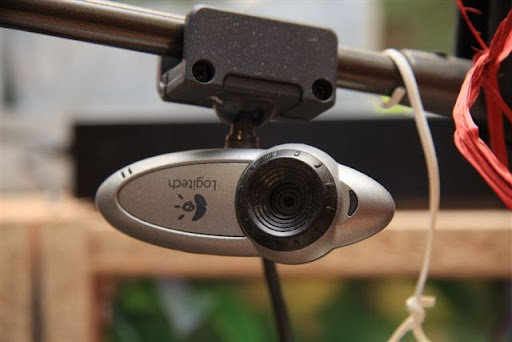
IMG_0794 Today I was talking with one of my colleagues who did just hang up from a call with his boss. Wouldn't it be so much easier to see his face on my screen when I talk to hem, he pointed out to me. And indeed, he is probably right.

Including video in communications is something that is done daily today. Friends, who's son is currently living in Cairo with a small child, are seeing their grand daughter growing day after day through Skype. They love it as it really establishes a relationship between them. Why is that not used in the corporate world? It's actually a good question.

In our company, the video portion of NetMeeting is disabled to ensure we cannot use it. When asking around, two key arguments come up. The first is, not surprisingly, cost reduction. It seems such video feeds take quite some bandwidth and would clog the corporate network. The Internet isn't, so why would the corporate network be? And with all the fiber in the ground, capacity is cheaply available if required. The second argument is security. And here too, I have my question marks. Knowing that our phones are tapped, our SMS's followed etc. what is the security issue here? Is it really such an issue if somebody sees my face? Or is it the IT department that is not eager to have things done outside their control?

The fundamental question is really how much we could improve productivity through the use of more multi-media collaboration techniques? I would like to argue that the potential additional cost and risk of using such tools is easily offset by the benefits gained from higher productivity and improved communication.