Showing posts with label Multi-Media. Show all posts

Friday, April 17, 2009

On-demand Presentations

Working with teams all over the world and being used to share my presentations for them to use, I am often confronted with the request to share with them what I say during the presentation. It is difficult to get everybody on the phone at the same time and walk them through the material. Also, they end up using things at different moments in time and may have forgotten what we discussed when I walked them through the material. So, finding a good tool to record voice and synchronize with PowerPoint slides has been one of my objectives for quite a while. I do know you can record narration with PowerPoint, but if you want to listen to it, you need to download the whole file. So a “streaming” approach was what I was looking for. HPIM5617

Over the years I have been experimenting with many tools. Some only worked with a Microsoft Streaming Server, which I did not have access too, others took a long time to download prior to start, others did not support features of PowerPoint 2007, others did not synchronize well, or left long blank periods in between two slides, others made extremely large files etc. Some seemed to do everything I needed, but cost several hundreds of US$, and the trial version did not really allow a thorough test.

May quest may have reached an end, as I found a small plug-in for PowerPoint 2007, called ISpring. At this point in time, I only tried the free software component and frankly, it seems to work like a dream. It converts PowerPoint into Flash, and my 16 minute trial presentation takes about 11.4MB. The production is extremely simple. Using PowerPoint narration, the audio is recorded and the timing of the slides is set. Once that is performed, a plug-in module, labeled iSpringConverter, allows the production of the flash files. Three files are created, one of which is an html file to link to for playback. As I mentioned it is extremely simple and works well. And on top of that it is free. The only drawback is that the iSpring logo appears in the control menu. To get rid of that, the Pro version, currently at 199 US$, is available.  It’s simple and it works.

Wednesday, November 5, 2008

Do I look like my Avatar?

In my last post we talked about NetMeeting and the fact it was rather old fashion. Let's now move to the other extreme, the use of 3D virtual collaboration software such as Qwaq, Nortel's Web.Alive or environments such as the ones that can be found in Second Life. In her blog entry "Restoring the Meaning of Virtual Collaboration", Patti Anklam speaks about Sun's Project Wonderland, another attempt in this area.

What is different is that, using a personification of yourself, called an avatar you basically work in a video game. You can walk through a room, where your presentation is hanging on the wall and stop, together with the avatars of the other people you are working with and discuss what is being displayed.

Is that science fiction? Actually not, early versions of such software is available today and companies are starting to use such collaboration approaches. The fundamental question in my mind is whether we actually need such fancy approaches or not. I am sure the younger generation, who grew up with video games, is fully acquainted to work that way. Others need to get used to it. I am asking myself what the added value is of going this far. Testing out some of the environments, I found the inclusion and update of the work documents rather slow.

Being able to share a common document or application is critical for virtual collaboration, being able to take control, enter information, perform changes etc. is mandatory. But do I need to have my avatar running around in a virtual room to achieve this? That's what I am absolutely not convinced about. I can already hear some of you telling me I'm old-fashion. And you may actually be right, but I am trying to separate hype from usefulness. And I cannot find the added value of my avatar.

Working remotely with somebody is unnerving for people that are not used to it, in the sense they are working with somebody they do not see. To address that, I used to swap photos with my remote collaborators. You may argue that this is the reason of the avatar. And it could be, unfortunately, you can choose any avatar, so there is no resemblance between your avatar and yourself. In that sense it defeats the purpose. Do you agree with me?

Monday, June 30, 2008

Multi-Media Collaboration, myth or reality?

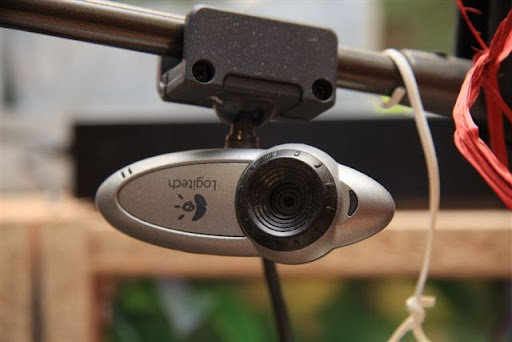
IMG_0794 Today I was talking with one of my colleagues who did just hang up from a call with his boss. Wouldn't it be so much easier to see his face on my screen when I talk to hem, he pointed out to me. And indeed, he is probably right.

Including video in communications is something that is done daily today. Friends, who's son is currently living in Cairo with a small child, are seeing their grand daughter growing day after day through Skype. They love it as it really establishes a relationship between them. Why is that not used in the corporate world? It's actually a good question.

In our company, the video portion of NetMeeting is disabled to ensure we cannot use it. When asking around, two key arguments come up. The first is, not surprisingly, cost reduction. It seems such video feeds take quite some bandwidth and would clog the corporate network. The Internet isn't, so why would the corporate network be? And with all the fiber in the ground, capacity is cheaply available if required. The second argument is security. And here too, I have my question marks. Knowing that our phones are tapped, our SMS's followed etc. what is the security issue here? Is it really such an issue if somebody sees my face? Or is it the IT department that is not eager to have things done outside their control?

The fundamental question is really how much we could improve productivity through the use of more multi-media collaboration techniques? I would like to argue that the potential additional cost and risk of using such tools is easily offset by the benefits gained from higher productivity and improved communication.